
EGS Basic Concepts
Introduces EGS scenes, objects, lights, cameras, and the basic rendering flow.
Reading Path
This page gives you a quick baseline mental model for EGS.
What Is EGS
EGS is the full-featured base renderer used by Kujiale frontend applications. It supports regular Mesh rendering and 3DGS rendering, and it is compatible with multiple Web graphics interfaces, including WebGL, WebGL2, and WebGPU.
How To Use It
The basic EGS workflow is: place objects and lights into a scene, configure the scene and camera, then trigger rendering.
Objects
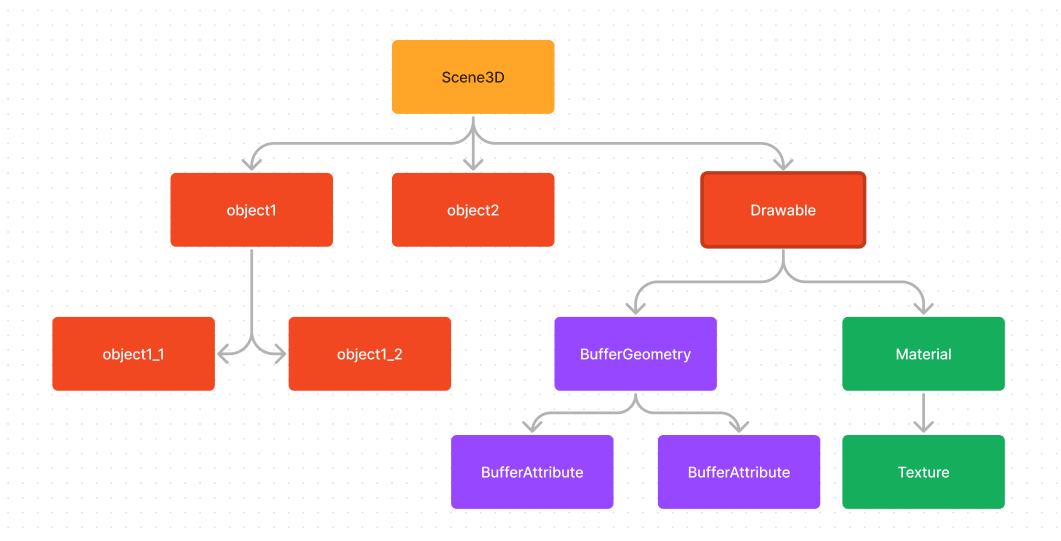
Objects usually refer to 3D objects. In EGS, they correspond to Object3D. Object3D is the base class used to compose a scene. Its inheritance structure is shown below.
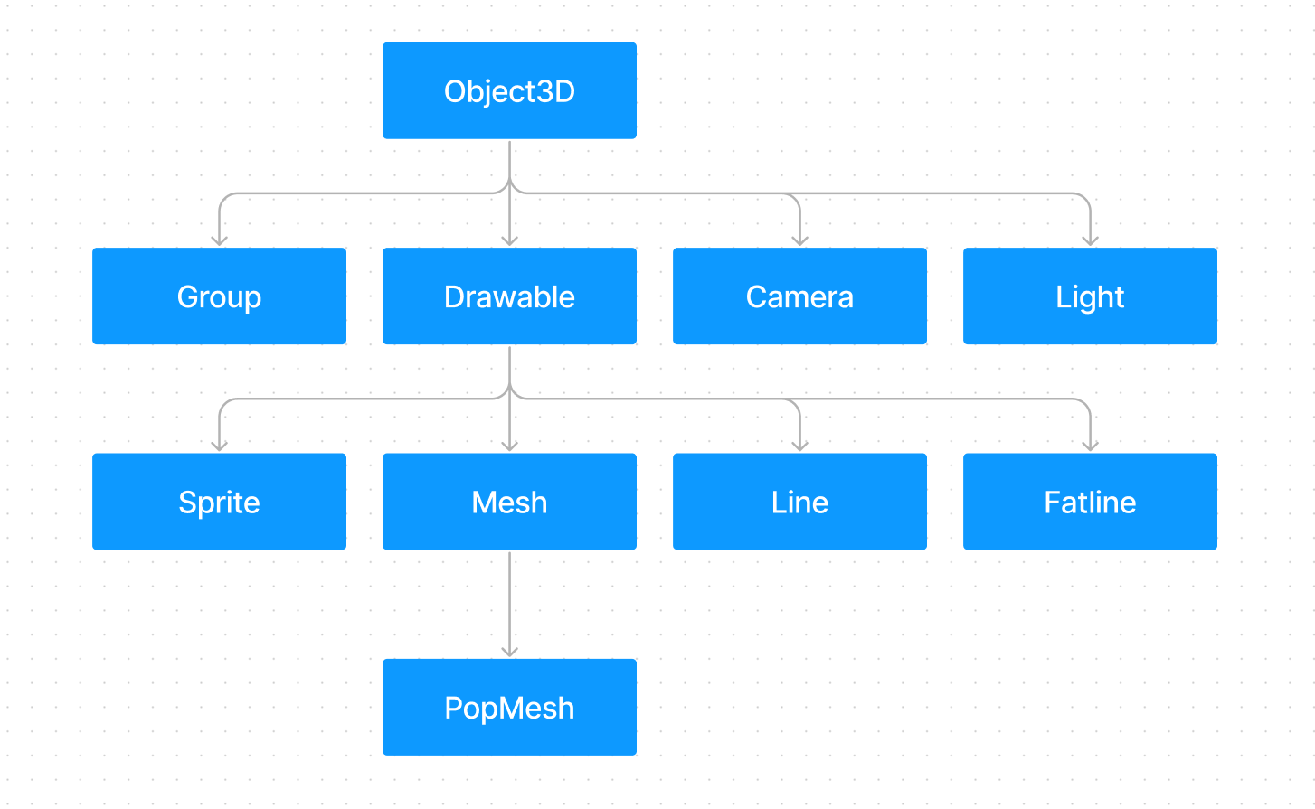
The core Object3D state includes:
parentandchildren: parent-child relationships used by the scene graph. OneObject3Dcan have at most oneparent; useaddandremoveto add or remove child nodes.position,rotation, andscale: local translation, rotation, and scale. Together, they produce the local transform matrix, or local matrix.
If an object has a parent, its local matrix does not fully describe the object in world space. The child local matrix must be composed with the parent world matrix to produce the child world matrix. The world matrix is the transform that reflects the object’s actual placement in the scene.
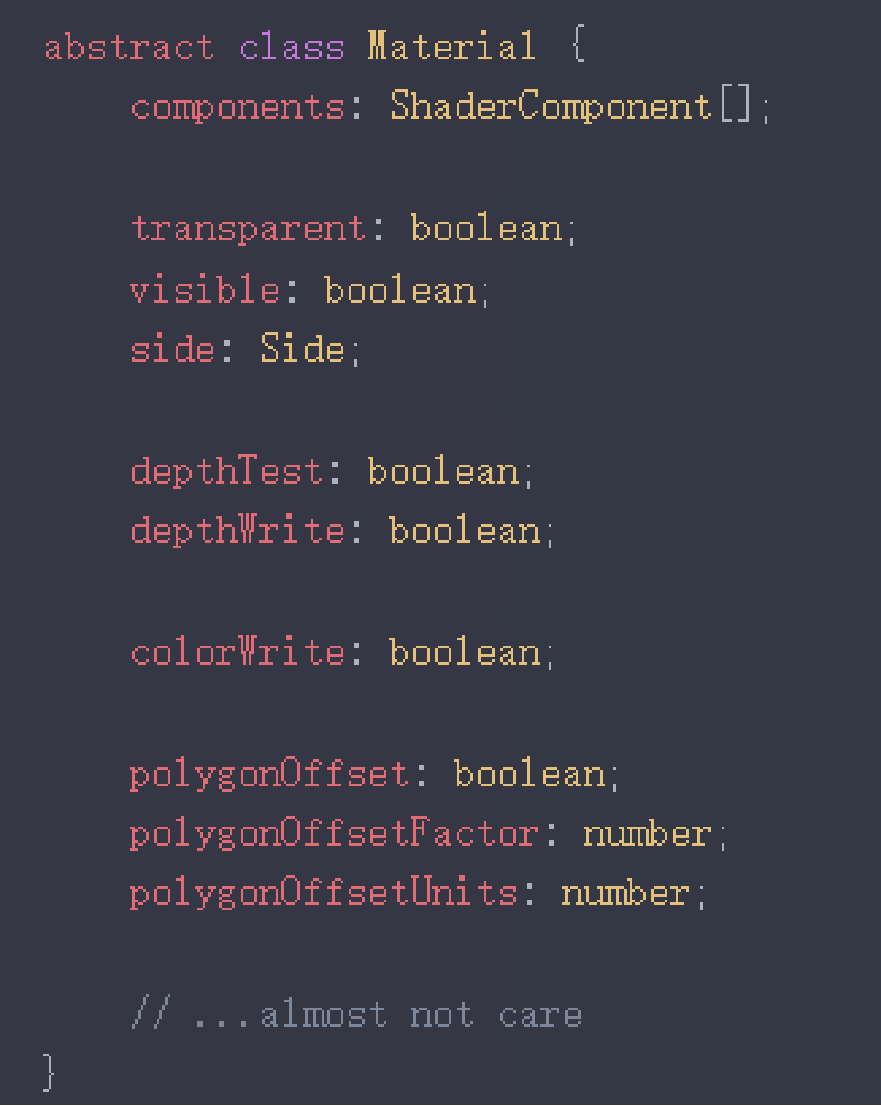
Object3D itself is not renderable. Its subclass Drawable is the base class for renderable objects. A Drawable is defined mainly by material and geometry.
Material
material describes the appearance of an object. Common materials include MeshPhongMaterial, which responds to lighting, and MeshBasicMaterial.
Geometry
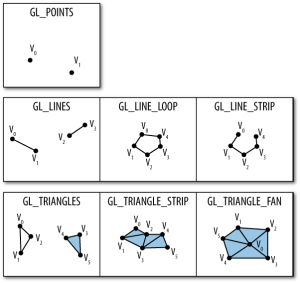
geometry describes valid surfaces, lines, or points. The most common geometry is made from triangle faces and corresponds to Mesh.
Geometry data is stored in attributes. Besides position, common attributes include:
uv: used for texture sampling.normal: used for lighting calculation.index: indexes intopositionto reduce duplicated data for shared vertices.
The inheritance chain also includes PopBufferGeometry, which supports geometry described by PopBuffer and supports LOD. It should be used together with PopMesh.
In general usage, PopMesh does not differ much from a regular Mesh.
Lights
Lights are also Object3D instances. Lights and materials together determine how objects appear.
Common lights include:
DirectionalLight: light emitted from an infinitely far direction, similar to sunlight.AmbientLight: directionless ambient light, often used to approximate diffuse lighting.
A common setup is one AmbientLight plus four DirectionalLight instances from different directions.
Shadows are also related to lights. The shadow field on a light controls shadow parameters, while castShadow on a Drawable controls whether that object casts shadows. planarShadow is a separate planar shadow feature that does not depend on lights and must be enabled through configuration.
Cameras
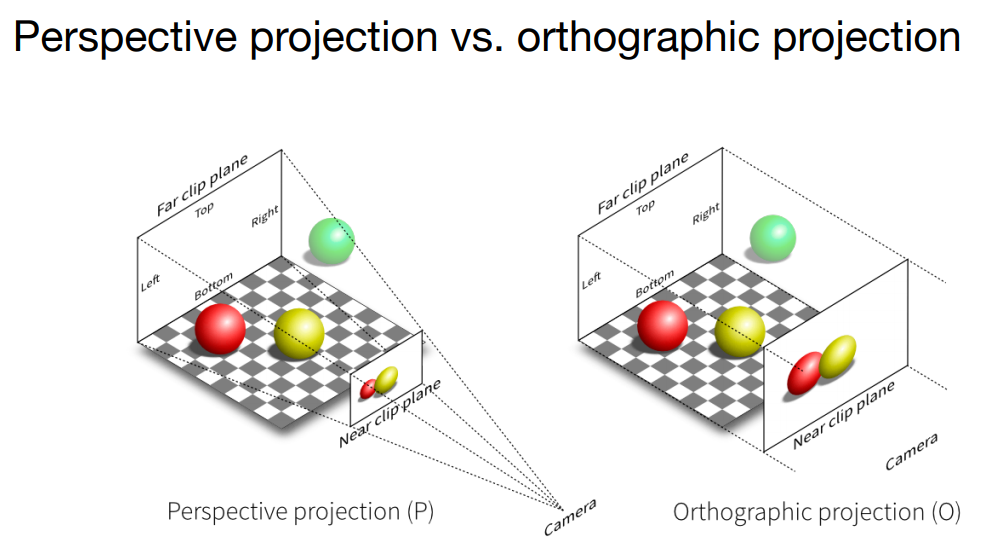
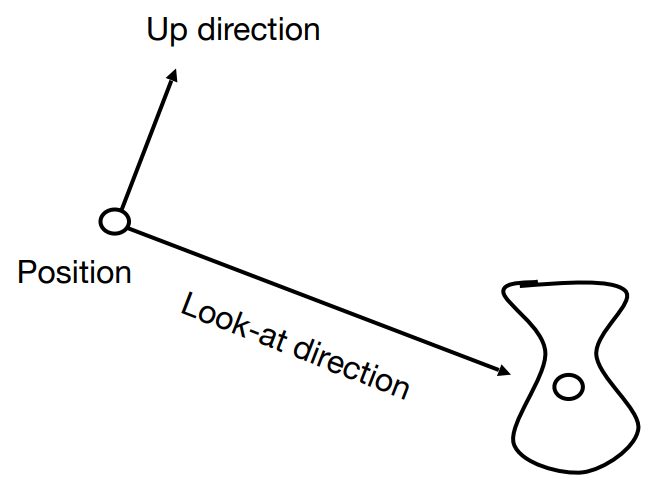
A camera represents the viewpoint inside a scene. Common camera types include:
PerspectiveCamera: a perspective camera. It follows perspective projection, where nearby objects appear larger than distant objects. This is the most common camera type.OrthographicCamera: an orthographic camera. It does not apply perspective scaling.
Scene
A scene is often called a scene tree, or SceneTree. It is the data source used for final rendering.
Viewport
A viewport is the EGS render output unit. It contains a boundary description, and one viewer can have multiple viewports. A viewport provides the following capabilities:
- It can represent the full canvas or a region of the canvas through its boundary description.
- Each viewport can have a fully independent camera.
- Each viewport has an independent pipeline configuration. See Viewer Config for available options.
- When a Viewer is created, it includes one default viewport that represents the full canvas.
Internal Render Flow
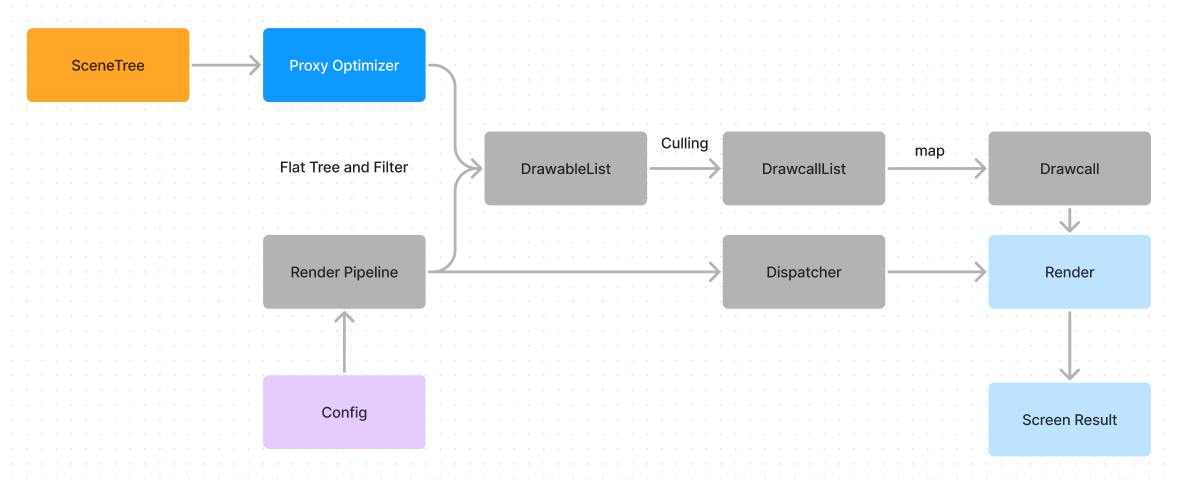
User-defined Config affects draw list generation through the Render Pipeline. The final DrawcallList stores the data needed for each draw command. Each Drawcall maps to one low-level graphics API command, so Drawcall count is usually correlated with CPU cost.
To inspect this flow more directly, use the Spector Chrome extension to capture a frame.
Usage Summary
A basic render can be summarized as:
- Create a
Scene. - Add objects and lights to the scene tree with
add. - Configure the scene, camera, and render settings.
- Call
renderto trigger rendering.
Model Support
In theory, EGS can render any model that can be converted into the EGS structure. EGS also provides loaders for several common model formats:
- gltf-loader: loads models described in gltf or glb format. Because EGS currently mainly uses Phong rendering, PBR-based gltf materials may not be converted completely.
- draco-loader: loads geometry described by draco. The geometry still needs to be converted into a structure that EGS can recognize.
Plugin System
EGS also provides plugins for additional capabilities, such as data monitoring and animation:
- egs-animation: adds animation support to EGS. It is recommended to construct animations with gltf-loader. Bone animation and regular property interpolation transforms are currently supported.